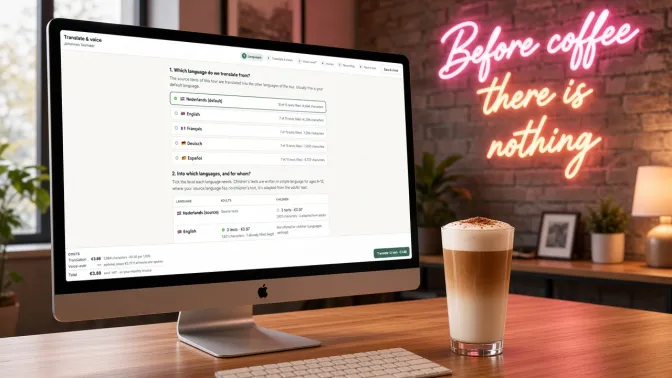
A new exhibition opens in six weeks. The texts are not finished yet, they need to appear in four languages and children deserve a version of their own. Sound familiar? That is why we built purpose-built AI for museums into the infotainment.guide museum app. These are content generators with one goal: giving your collection a voice. In this article, you'll read what they do, what they cost and where their limits lie.
What is purpose-built AI for museums?
A general chatbot writes for everyone and about everything. Purpose-built AI for museums does exactly the opposite. Each generator has one task, such as writing a text for a stop, translating a tour or voicing a story. It knows which stop and which tour it belongs to. What's more, the result lands straight in the right place in your tour. The generators know the difference between a label next to a painting and a story in a visitor's ears. They also keep the audience in mind. Adults get depth, while children get short sentences and curious questions.
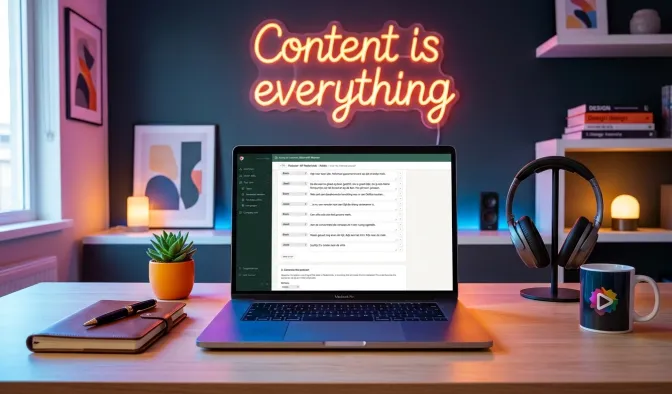
Everything sits in backstage, the admin area of the museum app. So you don't need a separate account, and you don't copy texts back and forth. What's more, you stay the editor. The generator makes a proposal, but you decide what the visitor reads and hears. These are the five new features:
- In-depth texts: a full text for a stop or a tour, from just a few keywords.
- Translation: a whole tour or a single stop in every language of your tour.
- Children's versions: the same content in simple language for children aged 6 to 12.
- Podcasts: a lively conversation between two to four speakers instead of one narrator.
- Voice-overs: your texts spoken by a native voice in each language.
In-depth texts in one click
Above the text field of every stop, you now find the button Generate in-depth text. The same button sits next to the description of a tour. You enter a few keywords, such as a year, a technique or an anecdote. Then you choose how many paragraphs you want and roughly how long the text may be. The generator also uses the name of the stop and of the tour. That way, it knows what the story is about.
In this way, purpose-built AI in the museum works like a fast writing assistant: within seconds, the text appears in the editor. You read it through, improve what could be better and save. Is a fact not quite right? Then simply correct it yourself, because nobody knows your collection better than you. Lost a text by accident? With Restore last generated text, you get it back free of charge.
Narrative or factual: you set the tone
Not every stop calls for the same kind of story. For this reason, purpose-built AI for museums lets you choose a style for each text. Narrative tells a story, with suspense and imagery, just as a guide would. Plain information sets out the facts clearly. That suits a science museum, a timeline or an object that speaks for itself.
Would you like to know more about the power of a good story? Then read From museum texts to museum stories.
Translate and voice: purpose-built AI for museums in six steps
With the Translate & voice button, you translate a whole tour or a single stop. The window takes you through six steps:
- Languages: you choose the source language and, for each language, whether you want a version for adults, children or both.
- Translate and check: you read each translation next to the source, edit it and approve it per language.
- Voice-over? You decide whether the texts should also be spoken.
- Voices: for each language, you pick a voice and a speaking style.
- Recordings: you listen to every recording and approve it or make it again.
- Place in tour: only now does everything go into the tour.
In other words, you keep purpose-built AI in your museum under control: your tour only changes at the very last step. Until then, you can stop, carry on later or throw everything away. At the bottom of the window, you always see what it costs so far.
A children's version without extra writing
An eight-year-old wants a different story from a sixty-year-old art lover. That is why every stop in infotainment.guide has a version for adults and one for children. Our purpose-built AI for museums takes that difference into account everywhere. A children's text gets simple words, short sentences and a question that invites the child to look closely.
Does your source language not have a children's text yet? Then the generator adapts one from the adults' text. As a result, you get a children's version in every language in one go. You can read how these children's tours work in the app in the interactive museum app for young and old.
Podcasts with purpose-built AI: the museum as a conversation
A narrator is lovely, but a conversation is often more engaging. That is why the podcast generator turns your text into a dialogue between two to four speakers. They react to each other, ask questions and notice things. As a result, a stop feels like a tour with friends.
Here, too, you choose the audience. For adults, two experts talk with each other. For children, the speakers are children themselves, or a guide answers their questions. You read the script first and edit it. After that, you pick a voice for each speaker. If you translate the podcast later, every speaker gets a voice of their own in every language. You can keep the names, adapt them to the language or choose your own. In this way, you build up recurring characters that visitors recognise.
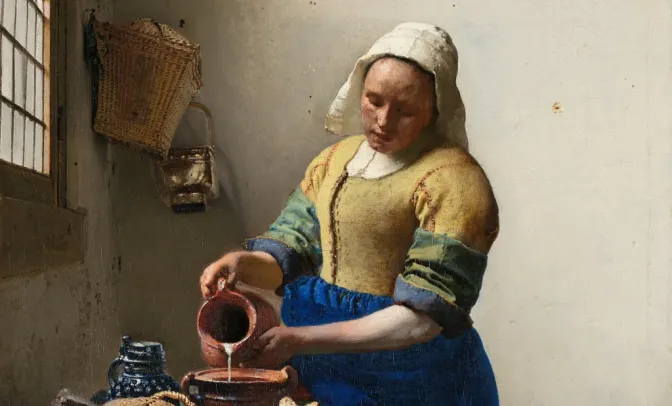
Listen: The Milkmaid as a podcast (in Dutch). Bram and Joost look at Johannes Vermeer's painting together. The generator made this podcast of just over two minutes from the text of the stop.
For now, we still prepare podcasts together with you. Keep an eye on the length as well, because listeners drop off sooner than you might think. Read more about the ideal length of audio stories.
Voice-overs in the visitor's own language
Nothing sounds as fake as an English voice trying to speak Dutch. For this reason, the voice picker only shows native speakers for each language. You choose from hundreds of voices and listen to a sample first. You also set the delivery: a calm narrator, lively or neutral.
Names are often tricky, especially in a museum. A pronunciation list per museum solves that. You record once how the voice should say an artist, a place or a technical term. From then on, every recording gets it right.
Real voice actors remain our first choice
To be honest, a real human voice is still our preference. A voice actor hears where a pause belongs. They put a smile into a sentence and feel what the story needs. That is why we have worked with professional voice actors in many languages for years.
Even so, speed and budget sometimes outweigh the wish. Think of a temporary exhibition that opens in three weeks. Or a tour in eight languages, or a small museum with a small budget. In those cases, a voice-over made with purpose-built AI is a good alternative for the museum. It is ready within minutes and costs a fraction of a studio recording. Would you like a real voice later on? Then simply replace the recording. You can read why a voice actor makes the difference in Voice actors take your audio tour further.
What does purpose-built AI for museums cost?
With purpose-built AI for museums, you only pay for what you have made, with no subscription. Writing, translating and voicing each cost €0.50 per 1,000 characters. A stop of 1,000 characters is roughly a minute of listening. So translating that stop costs €0.50 per language, and voicing it costs another €0.50. A podcast script costs €0.50 per script.
Before you start anything, you see the amount on the button. The generator only gets to work once you agree. For an in-depth text, the amount is a maximum: if the text turns out shorter, you pay less. Everything appears clearly on your monthly invoice, excluding VAT.
Everything you pay for is kept safe
Once you have paid for something, you never lose it. Every text, translation, podcast script and recording goes into a secure vault. In the Generated content overview, you can copy an old text again. You can also play or download any recording there. That even works if you have already replaced or deleted the text or recording in the tour.
Try purpose-built AI for museums yourself
Curious how purpose-built AI for museums works with your own collection? First take a look at the museum app on infotainment.guide, or read how to create an audio tour. Would you rather have a tour translated, a podcast made or a voice actor booked straight away? and we will be happy to think along with you.
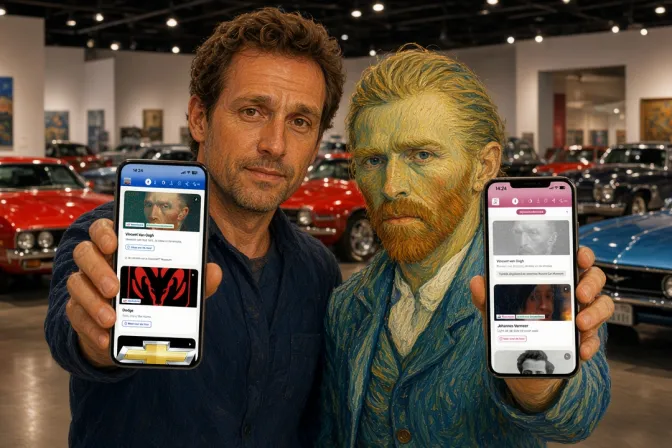
The cover photo was made with AI. However, the screen in the photo shows the real translation module from backstage.
Updated on
Stay up to date
Every now and then, the news from GuideXpresse in a single email: museum guides, tour guide systems, software, service and voice-overs. Short and no more often than needed.
 References